Encumbrance Certificate (EC) View Online at TNREGINET
An Encumbrance Certificate (EC) is an important document used to check the legal status of a property. It shows whether a property has any loan, mortgage, or legal issue. This certificate is very useful for people who want to buy or sell property. In Tamil Nadu, EC can now be checked easily online.
The TNREGINET portal helps users view Encumbrance Certificate details without visiting government offices. It provides quick access to official property records in a simple way. Users can check EC details from home using the internet. This online service saves time and makes property verification easy.
What is an Encumbrance Certificate (EC)?
An Encumbrance Certificate, commonly called EC, is a legal document that shows whether a property has any financial or legal burden. These burdens may include home loans, mortgages, court cases, sale deeds, or gift deeds registered against the property.
If a property has no registered claims during a selected period, the EC will show Nil Encumbrance. This means the property is clear and free from any recorded liability. It helps buyers and banks trust that the property is safe for purchase or loan approval.
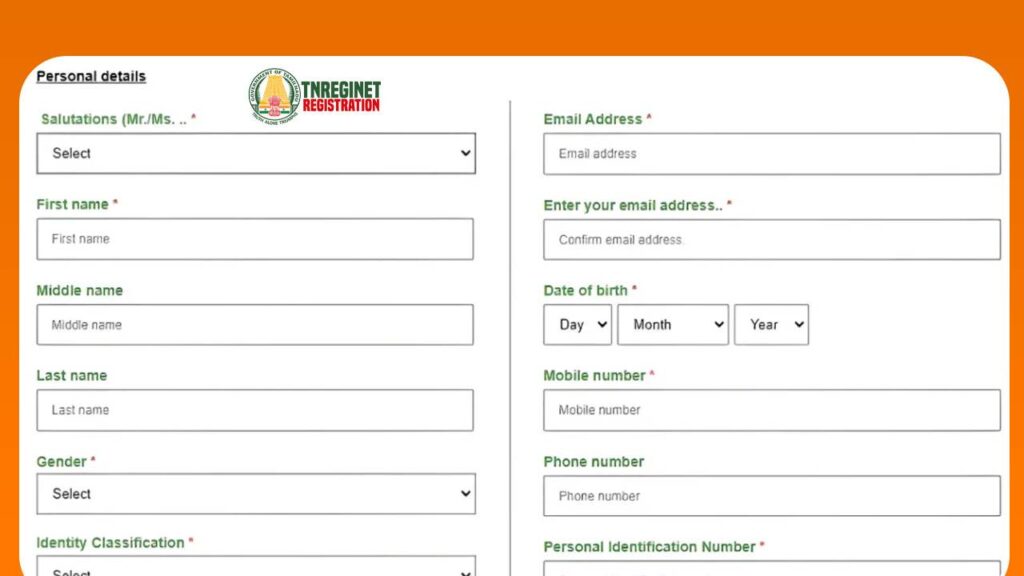
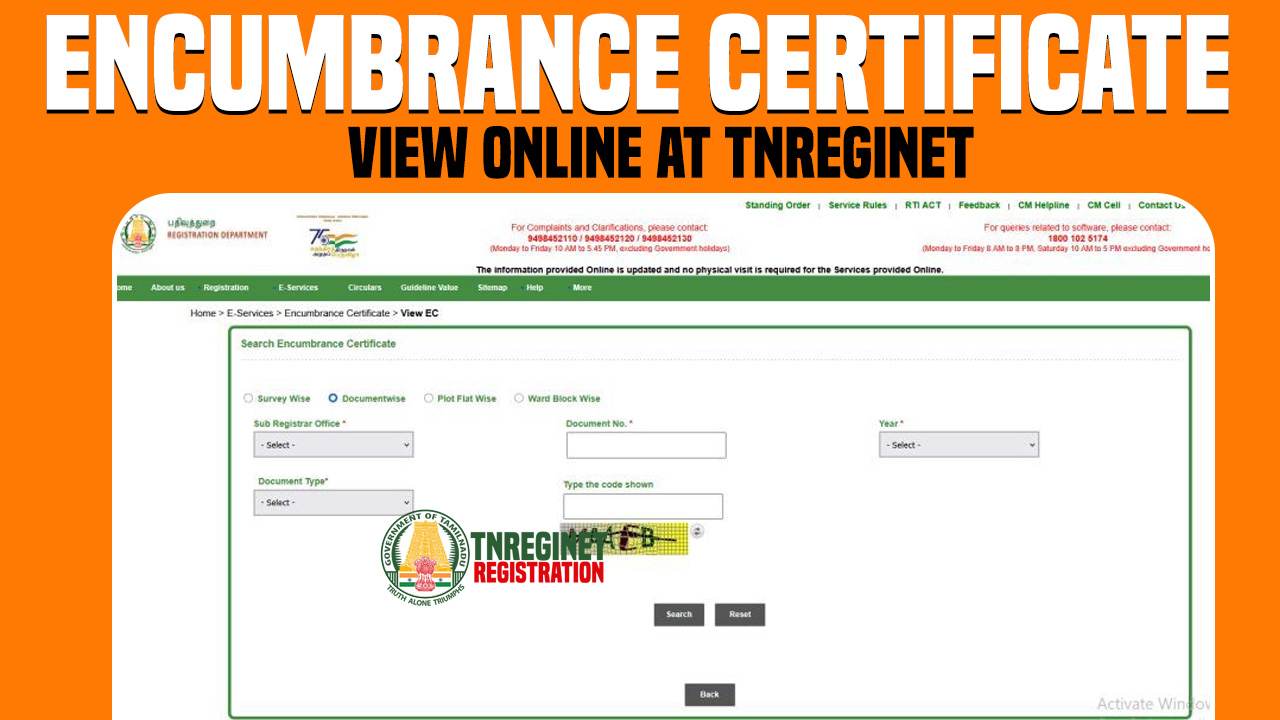
Steps to View Encumbrance Certificate (EC) Online at TNREGINET
TNREGINET makes it easy to check Encumbrance Certificate details online. This helps you know if a property has any loan or legal issue.
- Open the TNREGINET website
Visit the official portal using your internet browser. - Login or create an account
New users need to register, while existing users can log in. - Go to Encumbrance Certificate option
Find and click on the EC service from the menu. - Select “View EC”
Choose the option to check EC details online. - Choose search method
Select how you want to search the property information. - Enter location details
Fill in district, area, and Sub-Registrar Office details. - Add property information
Enter survey number or document details carefully. - Select date range
Choose the time period for which you want the EC. - Enter captcha code
Type the code shown on the screen. - Click search and view results
The EC details will appear on your screen if records are available.
How to Download Encumbrance Certificate from TNREGINET
After viewing EC details, users can download a copy for reference.
- Save the EC file:
Once the EC details are displayed, use the download option to store the PDF on your phone or computer. - Check the details:
Make sure the certificate shows official verification, such as a digital seal or validation code. - Print if needed:
You may take a printout if the document is required for office work or submissions. - Use the EC where required:
- Provide it to banks while applying for a home loan.
- Show it during property sale or purchase for verification.
- Submit it for name transfer or record updates.
- Keep it safe:
Save the digital copy securely, as it is an official record that may be needed again in the future.
The downloaded EC is useful for personal checking. For bank or legal use, a certified EC may be required, which involves login and a small fee.
Documents Required for Offline EC Application
When applying for an Encumbrance Certificate offline at the Sub-Registrar Office, you need to submit a few basic documents. These documents help officials identify the property and process the EC request smoothly.
| Document / Detail | What to Provide (Simple Examples) | Why It’s Needed |
|---|---|---|
| EC Application Form (Offline Form) | Filled form with your name, address, and property details | This is the main request document |
| Identity Proof (Any one) | Aadhaar, Voter ID, PAN, Driving License, Passport | Confirms who is applying |
| Address Proof (Any one) | Aadhaar, utility bill, ration card, bank statement (as accepted) | Confirms your current address |
| Property Document Copy | Sale deed / Gift deed / Settlement deed / Partition deed (copy) | Helps match property history in records |
| Previous Document Number (if available) | Old document number + registration year | Makes search faster and more accurate |
| Property Location Details | District, Taluk, Village, Street/Area name | Helps office find correct records |
| Sub-Registrar Office (SRO) Details | Name of SRO where property is registered (if known) | Required to search the right office records |
| Survey Number & Sub-Division | Survey No., Sub-division No. (for land) | Identifies the exact land parcel |
| Patta / Chitta details (if available) | Patta number or related land record details | Supports correct land identification |
| EC Period (From–To Years) | Example: 2010 to 2026 | Office searches only for this time range |
| Purpose of EC (Optional but helpful) | Loan, sale, legal check, personal verification | Helps office understand the requirement |
| Power of Attorney (if applicable) | POA copy + applicant ID proof | Needed if someone applies for the owner |
| Authorization Letter (if applicable) | Signed letter from owner + owner ID proof copy | Useful if not owner but applying with permission |
| Fee Payment / Challan | Receipt or payment proof (as per office method) | Confirms payment for processing |
| Passport-size Photos (sometimes asked) | 1–2 photos (carry to be safe) | Some offices may require it for records |
Benefits of Viewing EC Online at TNREGINET
Viewing the Encumbrance Certificate online through TNREGINET makes property verification easy and fast. It helps users check official records without visiting government offices.
- Saves time by avoiding office visits
- Instant access to property encumbrance details
- Helps identify loans or legal issues early
- Reduces paperwork and manual effort
- Uses official government data
- Useful for safe property decisions
EC for Home Loan Approval
Banks and financial institutions ask for an Encumbrance Certificate before approving a home loan. The EC helps them check whether the property has any existing loan or legal issue. A clear EC increases trust in the property’s legal status.
If the EC shows no encumbrance, loan processing becomes faster and smoother. In most cases, banks require a certified EC for a specific time period. This document plays a key role in final loan approval.
EC and Property Buying
Checking the Encumbrance Certificate is an important step before buying any property. It helps buyers confirm that the property is free from hidden loans or disputes. This protects buyers from future legal problems.
Even if the seller appears trustworthy, EC verification adds an extra level of safety. It ensures that the buyer is investing in a legally clear property. This makes the buying process more secure and confident.
Frequently Asked Questions (FAQs)
Final Thoughts
Viewing the Encumbrance Certificate online through TNREGINET has made property checks much easier. It helps users confirm whether a property is legally clear or not. The online process saves time and avoids unnecessary office visits. Checking EC before any property deal helps make safe and smart decisions.